An SEO checklist is most useful when it follows the order in which problems block progress. First make sure search engines can reach your important pages. Then make those pages clear and helpful, add content where customers need it, and measure what happens. A long list of tiny optimizations matters less if your core service page is missing.
Use this checklist at launch and revisit it as your site grows. You do not have to finish everything in one week. Focus on tasks that protect access to your pages and support real customer decisions.
Stage one: make the site accessible
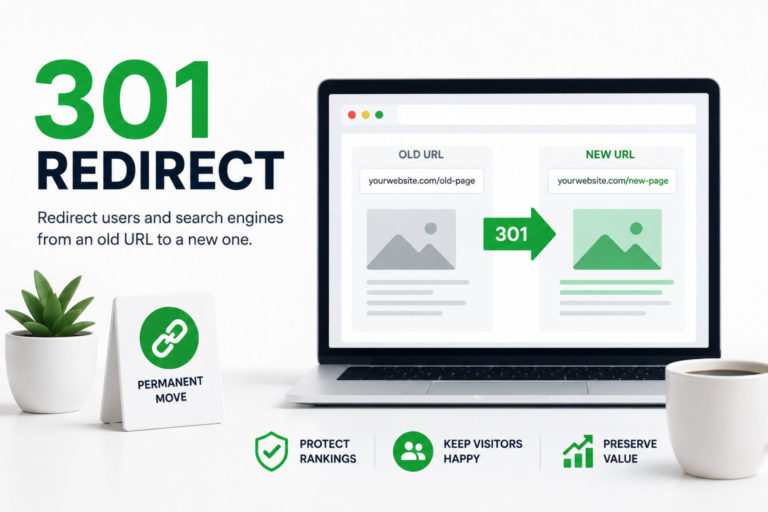
Confirm your preferred website address. Your site should load securely over HTTPS, and internal links should use one preferred domain version. If both www and non-www addresses or old URLs exist, check that redirects and canonical signals lead to the pages you want visitors to use. Our guide to 301 redirects explains when to use one.
Check indexing on important pages. Inspect key URLs in Google Search Console and review the Page indexing report. A page must be accessible and eligible for indexing before it can earn organic traffic. If pages are missing, work through this technical indexing checklist.
Submit a clean XML sitemap. Include the canonical URLs you want search engines to consider, and keep test pages, redirects, and duplicates out. Many platforms generate a sitemap automatically; the key is to inspect what it contains. As Google’s sitemap guidance notes, submitting one helps discovery but does not guarantee indexing.
Connect measurement. Set up Search Console and an analytics platform, and record conversions such as form submissions, calls, bookings, or purchases. If a contact form is the main goal, test it on a phone and confirm your team receives the message.
Check mobile experience and speed. Read your main pages on a small screen. Can you see the offer, use the menu, and complete the next step? Speed matters, but a technical score alone will not tell you whether a customer understands the page.
Stage two: strengthen the pages that sell
Give every important page a clear purpose. A service page should explain the service, who it is for, where it is available, and what happens next. A category page should help shoppers compare suitable products. Do not force unrelated topics onto one page just to reduce the page count.
Write a descriptive title tag and a clear H1 for each page. The title tells searchers what they will find; the heading reassures them they reached the right place. Meta descriptions can help explain the result, although Google may show different text. Avoid copying the same title across every location or service page.
Answer the practical questions that affect a buying decision: what is included, typical timing, eligibility, service areas, or the difference between options. Use real photos, examples, and policies where they help. A page that answers the right question beats one that repeats a keyword.
Connect related pages with descriptive links. A guide about emergency roof leaks might point to the roof repair service page. Make contact details and the primary action easy to find, then test the path yourself from search result to inquiry.
Stage three: add useful coverage and trust
Collect questions from sales calls, support messages, and on-site searches, and publish answers when they deserve a dedicated page. Create location pages only when you can show meaningful local relevance, such as services, projects, coverage, and contact details. Avoid changing only the city name in otherwise identical copy.
For local businesses, maintain an accurate Google Business Profile, keep core details consistent, and ask customers for genuine reviews through a fair process. Earn mentions from relevant organizations, partners, publications, or community resources. A few useful relationships can matter more than bulk directory submissions.
Stage four: maintain and improve
Each month, review Search Console for the queries, pages, and clicks that matter to the business. Compare longer periods when traffic is seasonal or volume is small. If a page loses visibility, check indexing, search intent, freshness, competitors, and recent site changes before rewriting it. This guide on how to tell if your SEO is working covers what to track.
Fix broken internal links, update outdated details, and confirm forms and checkout still work after site changes. When you publish a new article, link it to relevant service or category pages and make sure normal navigation can reach it.
Keep a short priority list: issue, affected page, owner, next action, and review date. Give each item a status of working, needs attention, or waiting on someone, and assign the next action before moving on. Start with problems that affect important pages or customer actions.
If you have only an afternoon, start with the homepage and your most valuable service or category page. Check that they load on a phone, appear in Search Console, say exactly what you offer, and make it easy to contact or buy from you. A perfect blog calendar cannot make up for a broken form on the page that receives the inquiry.
As the site grows, separate one-time launch tasks from recurring checks. HTTPS and domain redirects need a solid setup; content accuracy, internal links, and conversions need periodic attention. After a redesign or migration, return to the launch list, because solved problems can reappear. Run a diib® scan to see technical and content opportunities in one place, then work through the highest-impact items first.
Frequently asked questions
How long does it take a new website to appear on Google?
It varies. Google says crawling can take anywhere from a few days to a few weeks, and ranking for competitive searches usually takes longer. Checking key URLs in Search Console and linking new pages from your navigation helps Google find them sooner.
Do I need an SEO plugin to follow this checklist?
Not necessarily. On WordPress, an SEO plugin makes it easier to edit title tags, meta descriptions, canonicals, and sitemaps. Hosted builders usually include similar settings. What matters is that someone checks each item, not which tool manages it.
What should I check right after a redesign or migration?
Confirm that old URLs redirect to their closest new pages, that no important page was left set to noindex from a staging site, that your sitemap lists the new URLs, and that analytics and conversion tracking still fire. Then watch Search Console's Page indexing report for new errors.